Pricing configuration (Org level)
You can use the Pricing configuration page (organization Settings > Configurations > Pricing configuration) to do the following:
-
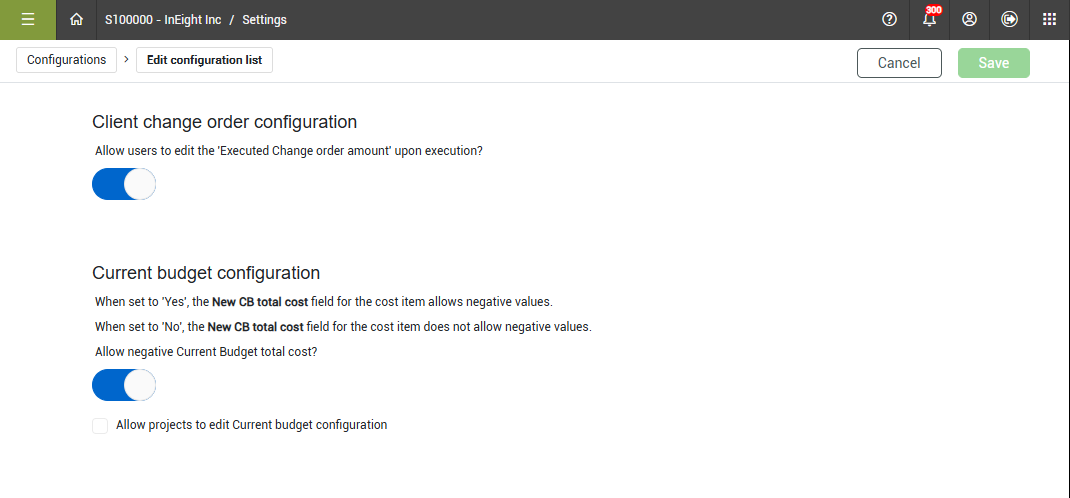
Indicate whether to allow or disallow the ability to modify the executed change order amount during the execution of a client change order.
-
Indicate whether to allow or disallow the New CB total cost field to support negative values.
Client change order configuration
When you disable Allow users to edit the Executed change order amount upon execution toggle at the organization level, the setting at the project level is also disabled. When you enable the setting at the organization level, you can enable or disable the setting for projects.
Current budget configuration
In the Current budget configuration setting (Settings > Configurations > Pricing configuration) at the organization level. You can set the field to Yes to allow negative values in the CB total cost field. When the field is set to No, the CB total cost field does not allow negative values.
When the toggle is set to No at the organization level, the setting at the project level is also disabled. When the toggle is set to Yes at the organization level, the setting at the project level is automatically set to Yes for projects, but you can update it if applicable.
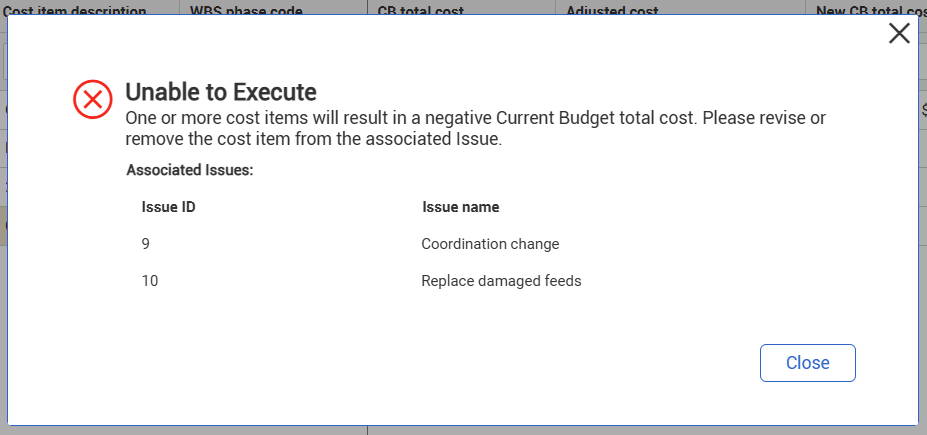
When negative values are not allowed and you try to submit a budget move or execute a change order, Change calculates whether the budget move or change order execution could force the CB total cost field to be negative based on the sum of the cost items across all items in Change. When the action might result in a negative value, a warning message shows that lists all issues in Change that use the cost item. For more information, see Pricing configuration (Project level) at the project level.
The following image shows the warning message when you execute a change order:
The following image shows the warning message when you submit a change order:
If there is workflow for the budget move or CCO execution, Change shows the message before workflow begins.
Allow projects to edit Current budget configuration
You can indicate whether to allow projects to edit Current budget configuration. This option is available only when the Current budget configuration is set to Yes. Select the Allow projects to edit Current budget configuration check box to allow users to enable or disable the setting for projects.